Pop Stone 2 Chrome Extension is now live in the Chrome Web Store! 🎮
We're excited to announce that Pop Stone 2 is now available as a Chrome extension in the Chrome Web Store! Play Pop Stone 2 directly in Chrome's side panel while browsing, no tab switching needed.
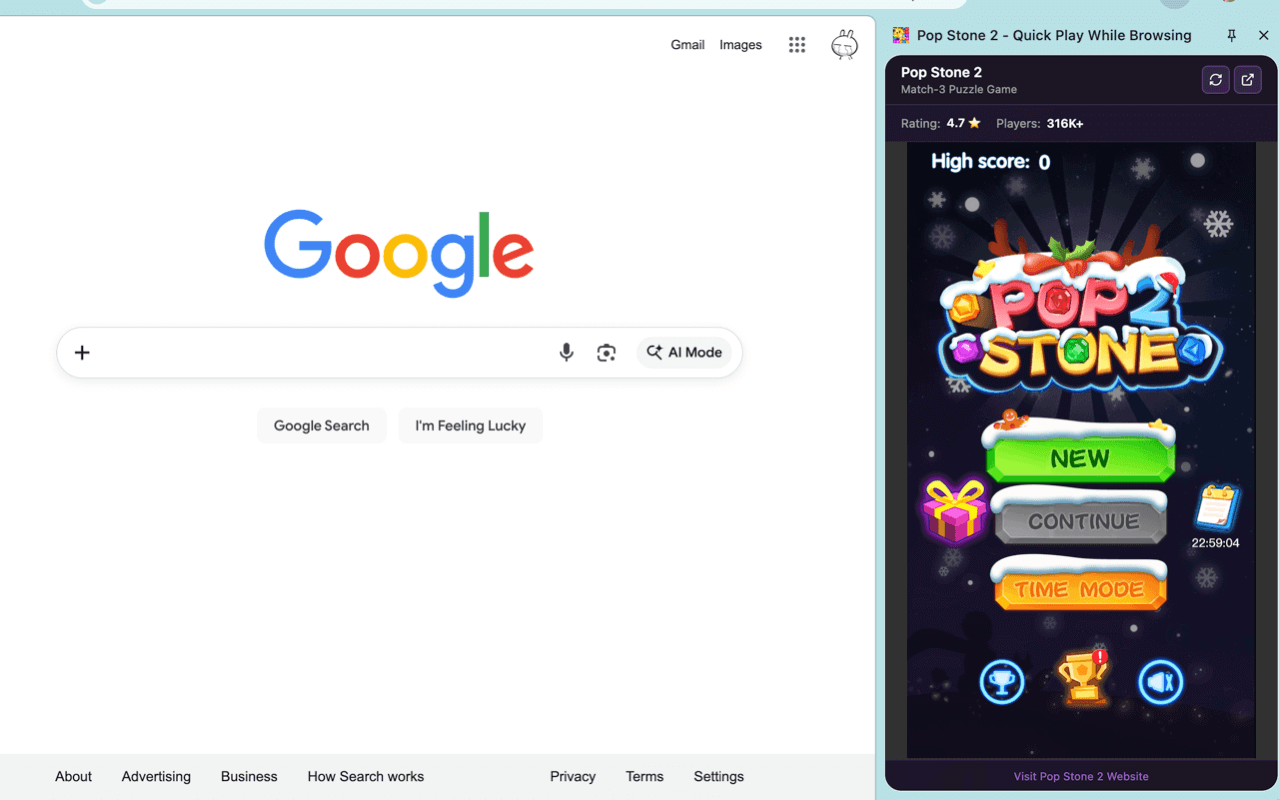
Pop Stone 2 running in Chrome's side panel while browsing Google. You can play the game without switching tabs!
Play While Browsing
The Pop Stone 2 Chrome extension is designed for quick game breaks while you browse the web. Open the game in Chrome's side panel and keep browsing in your main window - no need to switch tabs! Perfect for those moments when you're waiting for a page to load or need a quick mental break.
Key Benefits:
- No Tab Switching: Play in the side panel while browsing continues in the main window
- Quick Access: Click the extension icon to open the game instantly
- Seamless Experience: Keep your browsing flow uninterrupted
- Perfect for Waiting: Play during page loads or while waiting for content
Complete Offline Play
All game assets (5.5MB) are bundled directly in the extension, so you can play Pop Stone 2 completely offline! No internet connection required after installation.
Offline Features:
- All Assets Included: Images, sounds, and game code are all bundled locally
- No Internet Required: Works perfectly without any network connection
- Fast Loading: No waiting for assets to download
- Reliable Gaming: Play anytime, anywhere, even offline
Key Features
- Side Panel Integration: Play Pop Stone 2 in Chrome's side panel (450px width)
- Play While Browsing: Keep browsing while you play - no tab switching needed
- Offline Play: All game assets (5.5MB) are bundled locally - works completely offline
- Quick Access: Click the extension icon to open the game instantly
- Full Game Experience: Complete match-3 puzzle gameplay with all features
Installation
- Visit the Chrome Web Store page
- Click "Add to Chrome"
- Click the extension icon in your toolbar
- Start playing in the side panel!
Extension Details
- Extension ID:
lminmpdnbjlmngadkapeghnildehghlj - Version: 1.0.0
- Size: ~5.5MB (all assets included)
- Offline: Works completely offline
- Permissions: Side panel, storage, tabs (minimal permissions)
Why Chrome Extension?
By bringing Pop Stone 2 to Chrome as an extension, we're making the game more accessible and convenient. The side panel integration allows you to enjoy quick game breaks without disrupting your browsing experience. Combined with offline play, you can enjoy Pop Stone 2 anytime, even without internet connection.
Enjoy playing Pop Stone 2 while browsing! We hope you love this new way to play.
Happy Gaming! 🎉
Have questions or feedback? Let us know in the Chrome Web Store reviews!
The Pop Stone 2 Team